๐Ÿš€ Upgrade Your Career with AI Skills

Generative AI & Automation Course in Kolkata for Office Professionals

No Coding Required. Learn powerful AI tools like ChatGPT, Copilot, Canva AI, and Python Automation along with workflow tools like n8n and Zapier to automate your daily office tasks.

๐Ÿ’ก AI will NOT replace you โ€” but someone using AI WILL.

This course is designed for office professionals, managers, teachers, and non-IT individuals who want to save time, increase productivity, and grow their career as per the latest industry requirements.

Build real-world projects, create smart automations, and become job-ready with practical AI skills in Kolkata.

Download Brochure โ†’ โญ 4.8/5 Google โญ 4.8/5 JustDial
Enroll Today and Start Your Journey!

Our Students are Working In

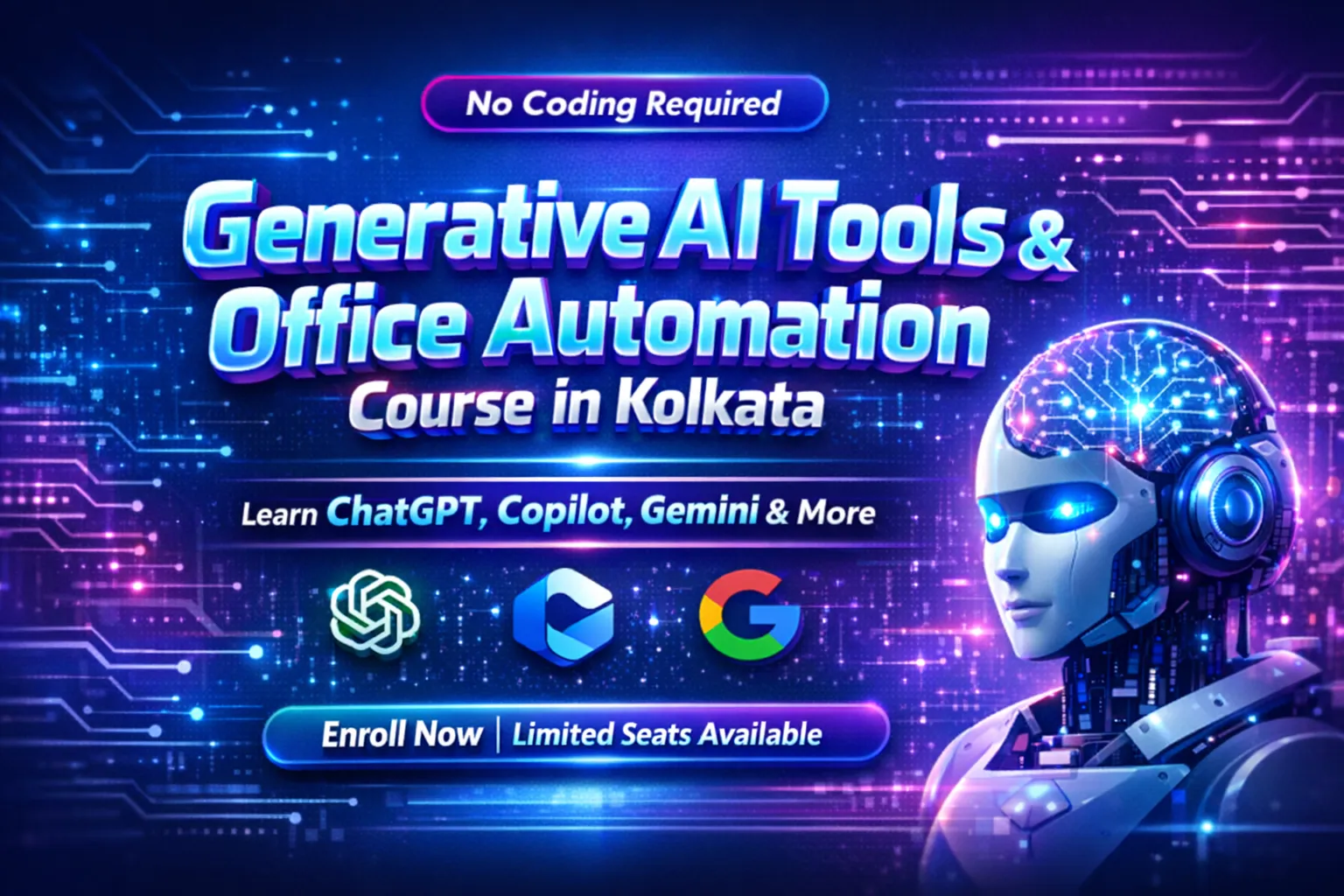
Generative AI Tools & Office Automation Course

Generative AI Tools & Office Automation Course in Kolkata โ€“ No Coding Required, Learn ChatGPT, Copilot, Gemini & More

Generative AI Tools & Office Automation

๐Ÿ‘‰ "Learn AI tools that save 2โ€“4 hours daily in office work"

Generative AI is transforming the way we work. If you are a working professional looking to boost productivity, automate daily tasks, and stay ahead in your career, this Generative AI & Office Automation course in Kolkata is perfect for you. No coding experience required!

From writing emails and creating reports to designing social media posts and automating Excel sheets โ€” this course covers everything you need to work smarter, not harder. At Acesoftech Academy, we provide top-notch training tailored for office professionals, teachers, doctors, business owners, and government employees.

As one of the leading training institutes in Kolkata, our goal is to offer you the perfect blend of practical learning and real-world applications. With our career-oriented courses, you'll gain the skills and confidence needed to excel in today's AI-driven workplace. Join Acesoftech Academy today and take the first step towards a more productive career!

Who Can Learn This Course?

Anyone who uses a computer in their job! This course is designed for:

Office Professionals

Teachers & Educators

Doctors & Medical Staff

Police & Govt Employees

Business Owners

Marketers & Freelancers

Non-Technical Employees

Job Seekers & Students

What You Will Learn in This Course

Email & Document Automation

Write professional emails, reports, proposals, and resumes using AI tools like ChatGPT and Copilot.

AI Image & Video Creation

Create stunning visuals, social media posts, reels, and voiceovers with DALLยทE, Canva AI, and ElevenLabs.

Excel & Sheets Automation

Automate data entry, reports, and bulk content generation in Google Sheets & Excel using AI.

Workflow Automation (n8n)

Build powerful automation workflows to connect AI with your daily tools and save hours.

Prompt Engineering

Master the art of talking to AI effectively for maximum productivity and better results.

Freelancing with AI

Learn to offer AI services on Fiverr, Upwork and start earning as an AI freelancer.

Course Outcome โ€“ What You Will Achieve

After completing this course, you will be able to:

  • โœ… Write emails, reports, and documents using AI in seconds
  • โœ… Create social media content, posts, and professional reels
  • โœ… Design stunning posters, presentations, and flyers with Canva AI
  • โœ… Automate Google Sheets & Excel for reports and data entry
  • โœ… Build simple automation workflows using n8n (no coding)
  • โœ… Save 2โ€“4 hours daily in your office work
  • โœ… Start freelancing with AI services and earn extra income

Why Learn Generative AI & Office Automation?

AI is not replacing jobs โ€” people who don't use AI will be replaced. Learning AI tools is no longer optional; it's essential for career growth. Companies are actively looking for professionals who can leverage AI to improve productivity and efficiency.

With this course, you will stay ahead of the curve and become an asset to any organization. Whether you are an office executive, teacher, doctor, business owner, or job seeker, these skills will give you a competitive advantage.

Career Opportunities After This Course:

Role AI Skills You Gain
Office Administrator Email automation, report generation, document creation
Social Media Manager Content creation, image generation, video editing with AI
Data Entry Operator Excel/Sheets automation, bulk data processing
Freelance AI Specialist Offer AI writing, design, automation services online
Business Owner Automate marketing, customer support, and daily operations

Industries Hiring AI-Savvy Professionals

  • Corporate Offices: Automate emails, reports, presentations, and data entry.
  • Education: Lesson planning, notes creation, question papers, presentations.
  • Healthcare: Patient summaries, medical notes, awareness content.
  • Government & Police: Report writing, documentation, case summaries.
  • Marketing Agencies: Social media content, ads, reels, and campaigns.
  • Freelancing Platforms: Fiverr, Upwork โ€“ AI writing, design, automation gigs.

Day 1 (Session 1-2): Introduction to AI in Daily Work

  • What is AI & Generative AI? Real office use cases
  • Overview: ChatGPT, Google Gemini, Microsoft Copilot
  • Creating your accounts and navigating interfaces
  • Practical: First AI interaction โ€“ write an email using AI

Day 2 (Session 3-4): Prompt Engineering (Core Skill)

  • How to talk to AI effectively โ€“ The art of prompting
  • Role-based prompts (Act as a manager, HR, teacher, etc.)
  • Office use prompts for daily tasks
  • Practical: Write professional emails & create meeting summaries

Day 3 (Session 5-6): AI for Emails & Documents

  • Email writing automation (formal, follow-ups, cold emails)
  • Reports, proposals, and business letters using AI
  • Resume and cover letter creation using AI tools
  • Tools: ChatGPT, Copilot, Gemini comparison
  • Practical: Draft a complete business proposal using AI

Day 1 (Session 7-8): AI for Content & Social Media

  • LinkedIn posts โ€“ Professional content that gets engagement
  • Instagram captions โ€“ Hashtags, hooks, and storytelling
  • Blog writing โ€“ Long-form content generation
  • Practical: Create 10 social media posts using AI for a brand

Day 2 (Session 9-10): AI for Research & Productivity

  • Summarizing long PDFs and articles instantly
  • Data research using AI (market research, competitor analysis)
  • Notes generation from meetings, videos, and lectures
  • Practical: Summarize a 50-page document in 2 minutes

Day 3 (Session 11-12): Advanced Prompt Engineering & Use Cases

  • Chain-of-thought prompting, few-shot prompting
  • Creating prompt templates for repeatable tasks
  • Practical: Build your personal prompt library for office work
  • Month 1 Revision & Doubt Clearing Session

Day 1 (Session 13-14): AI Image Generation Basics

  • How AI creates images โ€“ Understanding DALLยทE, Midjourney, Stable Diffusion
  • ChatGPT image tools and integrations
  • Writing effective image prompts
  • Practical: Create a professional poster & ad creative

Day 2 (Session 15-16): Canva AI for Office & Marketing

  • Presentations โ€“ AI-powered slide decks
  • Social media designs โ€“ Posts, stories, banners
  • Resumes, flyers, brochures, and business cards
  • Practical: Design a complete branding kit for a business

Day 3 (Session 17-18): Advanced Design Projects

  • Creating infographics, reports, and whitepapers
  • Logo design using Canva AI
  • Practical: Create a 10-slide presentation + 5 social media graphics

Day 1 (Session 19-20): AI Video Creation (Reels & Ads)

  • Text to Video โ€“ Creating videos from scripts
  • Reels creation for Instagram, YouTube Shorts, TikTok
  • Tools: Pictory, Canva Video, CapCut AI, InVideo
  • Practical: Create 1 professional Instagram Reel

Day 2 (Session 21-22): AI Voice Generation

  • Voiceovers for videos using ElevenLabs, Murf, Resemble.ai
  • Creating voice clones and multiple language voiceovers
  • Practical: Add professional voiceover to your reel

Day 3 (Session 23-24): Content Creation Project

  • Create a complete content package: Post + Image + Video + Voiceover
  • Portfolio building guidance
  • Month 1 Project Submission & Review

Day 1 (Session 25-26): Google Sheets Basics for AI

  • Sheets overview โ€“ Formulas, functions, and data handling
  • Preparing data for AI automation
  • Practical: Create a master data sheet for automation

Day 2 (Session 27-28): AI in Google Sheets

  • Content generation in sheets using GPT for Sheets add-on
  • Bulk data automation โ€“ Generate hundreds of rows with AI
  • Practical: Generate 200 social media captions in Sheets automatically

Day 3 (Session 29-30): Advanced Sheets Automation

  • Automated email sending from Sheets
  • Creating dashboards and reports with AI assistance
  • Practical: Build an automated lead tracking system

Day 1 (Session 31-32): Excel Basics for AI

  • Excel formulas, pivot tables, and data analysis
  • Preparing Excel sheets for AI automation
  • Practical: Clean and organize messy Excel data

Day 2 (Session 33-34): Excel + Microsoft Copilot

  • AI in Excel โ€“ Data analysis, insights generation
  • Report automation using Copilot
  • Practical: Create an automated sales report dashboard

Day 3 (Session 35-36): Real Office Automation with Excel

  • Lead management system in Excel
  • Inventory tracking and automated alerts
  • Practical: Build a complete inventory management system

Day 1 (Session 37-38): Introduction to Automation

  • What is automation? Why businesses need it
  • Real-life use cases โ€“ Email automation, data sync, notifications
  • Overview of automation tools: Zapier, Make (Integromat), n8n
  • Practical: Identify 5 tasks in your job that can be automated

Day 2 (Session 39-40): n8n Basics โ€“ Building Your First Workflow

  • What is n8n? Open-source automation platform
  • Understanding Workflows, Nodes, and Triggers
  • Setting up n8n locally and cloud options
  • Practical: Build your first automation โ€“ Send a welcome email

Day 3 (Session 41-42): n8n Core Concepts

  • Working with different nodes (HTTP, Webhook, Email, etc.)
  • Conditional logic and error handling
  • Practical: Create a workflow that saves data to Google Sheets

Day 1 (Session 43-44): Connecting ChatGPT with n8n

  • Setting up OpenAI API key
  • Creating ChatGPT nodes in n8n
  • Practical: Build an AI-powered email responder

Day 2 (Session 45-46): Automating Repetitive Tasks

  • Auto email sender based on triggers
  • Content automation โ€“ Generate and publish posts automatically
  • Practical: Create a workflow that generates blog posts using AI

Day 3 (Session 47-48): Advanced n8n Workflows

  • Connecting multiple apps (Gmail, Sheets, Slack, etc.)
  • Scheduling workflows for daily/weekly tasks
  • Practical: Build a complete lead management automation system
  • Month 2 Project Submission

Day 1 (Session 49-50): Project 1 โ€“ Social Media Automation

  • Build a system that generates and schedules social media posts
  • Integrate ChatGPT + Google Sheets + n8n
  • Practical: Complete working automation for Instagram/LinkedIn

Day 2 (Session 51-52): Project 2 โ€“ AI Blog Generator

  • Build an automated blog writing and publishing system
  • Research โ†’ Write โ†’ Edit โ†’ Publish workflow
  • Practical: Create a blog generator for WordPress

Day 3 (Session 53-54): Project 3 โ€“ Lead Automation System

  • Capture leads from forms โ†’ Send emails โ†’ Update CRM
  • Practical: Build a complete lead management automation

Day 1 (Session 55-56): Project 4 โ€“ Email Marketing Automation

  • Build an automated email sequence for campaigns
  • Personalization using AI
  • Practical: Create a 5-email drip campaign

Day 2 (Session 57-58): Project 5 โ€“ Invoice & Report Automation

  • Automated invoice generation from Google Forms/Sheets
  • Report generation and email delivery
  • Practical: Build an automated invoicing system

Day 3 (Session 59-60): Portfolio Building Session

  • Documenting your projects for your portfolio
  • Creating GitHub repositories and project demos
  • Practical: Complete portfolio with 5+ projects

Day 1 (Session 61-62): Freelancing with AI โ€“ Getting Started

  • Overview of Fiverr, Upwork, Freelancer.com
  • Creating winning profiles that attract clients
  • AI service categories: Content writing, Design, Automation, Virtual Assistant
  • Practical: Create your freelancer profile

Day 2 (Session 63-64): Finding Clients & Pricing Your Services

  • How to find your first client
  • Pricing strategies for AI services
  • Proposal writing that converts
  • Practical: Write 5 sample proposals for AI services

Day 3 (Session 65-66): Delivering Projects & Building Reputation

  • How to deliver AI projects professionally
  • Getting reviews and repeat clients
  • Scaling your freelancing business
  • Practical: Create service packages for your AI offerings

Day 1 (Session 67-68): Final Project Development

  • Choose your final project (Individual or Group)
  • One-on-one mentorship and guidance
  • Project options: Complete Office Automation Toolkit / AI Social Media Management System / Lead Generation Automation / Custom automation for any business

Day 2 (Session 69-70): Final Project Presentation

  • Present your project to the class and panel
  • Receive feedback and improvement suggestions
  • Final project submission

Day 3 (Session 71-72): Course Wrap-up & Certification

  • Complete course revision
  • Doubt clearing session
  • Certificate distribution
  • Career guidance and next steps
  • Alumni network access
ChatGPT

ChatGPT

Gemini

Google Gemini

Copilot

MS Copilot

Canva

Canva AI

DALLยทE

DALLยทE

n8n

n8n

Google Sheets

Google Sheets

ElevenLabs

ElevenLabs

Priya Singh

Priya Singh

I completed the Generative AI & Office Automation course at Acesoftech Academy. It completely changed how I work! I now save 3+ hours daily using AI for emails, reports, and social media. Highly recommended for all working professionals!

Rajesh Kumar

Rajesh Kumar

No coding experience needed! The course was very practical. I learned to automate my Google Sheets and even started freelancing on Fiverr. Thank you Acesoftech!

Dr. Meera Sharma

Dr. Meera Sharma

As a doctor, I was skeptical about learning AI. But this course made it so simple! Now I use AI for patient summaries and medical notes. Best decision ever!

  • Duration: 3 Months
  • Mode of Training: Online & Classroom available
  • Coding Required: No โ€“ Beginner Friendly
  • Language: English, Hindi, Bengali

Need guidance? Talk to our AI automation expert!

Get in touch with our program advisor & get your queries resolved about the Generative AI & Office Automation course.

Download Brochure

Reach out to our expert   8583959528

Career Expert

Why Choose Acesoftech Academy for Generative AI & Office Automation Course in Kolkata?

Our Generative AI & Office Automation training program is designed to help working professionals, students, and job seekers master AI tools like ChatGPT, Copilot, Gemini, Canva AI, Google Sheets automation, and n8n workflows. No coding experience required! Through hands-on projects, real-world assignments, expert mentorship, and career-focused guidance, we ensure you gain practical, job-ready skills to boost productivity and save 2-4 hours daily.

Expert Industry Trainers

Learn from professionals who have real-world experience using AI tools in office environments and automation projects.

Hands-On Practical Training

Work on real-life office tasks โ€“ emails, reports, social media posts, Excel automation, and workflow building.

Online & Classroom Options

Attend in-person sessions in Kolkata or join live online training based on your schedule.

Career & Freelancing Support

Get guidance on freelancing platforms like Fiverr & Upwork to start earning with AI services after course completion.

Absolutely No Coding Required

This course is designed for non-technical professionals. Anyone with basic computer knowledge can learn.

Save 2-4 Hours Daily

Learn practical AI tools that help you complete office tasks faster and focus on more important work.

Want to master Generative AI Tools & Office Automation?

Talk to Our Course Advisor

Who Can Enroll in This Generative AI & Office Automation Course?

Acesoftech Academy offers complete Generative AI & Office Automation Training in Kolkata for working professionals, students, job seekers, and anyone who uses a computer in their daily work. No coding experience required! Learn ChatGPT, Copilot, Gemini, Canva AI, Google Sheets automation, and n8n workflows through practical projects and real-world assignments. Gain the skills to boost productivity, save hours daily, and even start freelancing.

๐Ÿ‘จโ€๐Ÿ’ผ Office Professionals

HR executives, accountants, managers, admin staff, and data entry operators can learn AI to automate emails, reports, and daily tasks.

๐Ÿ‘ฉโ€๐Ÿซ Teachers & Educators

School teachers, college professors, and coaching center trainers can use AI for lesson planning, notes creation, question papers, and presentations.

๐Ÿง‘โ€โš•๏ธ Doctors & Medical Staff

Doctors, clinic staff, and medical assistants can use AI for patient summaries, medical reports, notes, and awareness content.

๐Ÿ‘ฎ Police & Government Employees

Police personnel, govt office staff, and administrative officers can use AI for report writing, documentation, case summaries, and data organization.

๐Ÿง‘โ€๐Ÿ’ป Business Owners & Entrepreneurs

Small business owners, shop owners, and startup founders can use AI for marketing, social media, customer communication, and automation.

๐Ÿ“ฑ Social Media & Marketing Professionals

Digital marketers, content creators, and freelancers can use AI for reels, posts, ads, and content creation at scale.

๐Ÿ“Š Students & Job Seekers

College students, freshers, and competitive exam students can use AI for resume building, study notes, research, and skill development.

Generative AI & Office Automation Course Kolkata

Projects You'll Build in Our Generative AI & Office Automation Course

Students create real-world office automation projects at Acesoftech Academy, Kolkata.

ChatGPT ยท Copilot ยท Gemini ยท Canva AI ยท n8n ยท Google Sheets
๐Ÿ“ง AI Email Automation System

Build an automated email drafting system using ChatGPT/Copilot that writes professional emails, follow-ups, and meeting summaries in seconds.

ChatGPT Copilot Email Automation
๐Ÿ“ฑ Social Media Content Generator

Create a system that generates LinkedIn posts, Instagram captions, and blog content using AI tools like Gemini and ChatGPT.

Gemini ChatGPT Content Creation
๐ŸŽจ AI Image & Video Creator

Design professional posters, flyers, and Instagram reels using DALLยทE, Canva AI, and CapCut AI for marketing campaigns.

DALLยทE Canva AI CapCut
๐Ÿ“Š Excel & Google Sheets Automation

Build an automated data entry and report generation system using AI in Google Sheets and Excel Copilot.

Google Sheets Excel Copilot Data Automation
โš™๏ธ AI Workflow Automation (n8n)

Create automated workflows that connect ChatGPT with your email and sheets to auto-send reports and notifications.

n8n Workflow Automation
๐ŸŽฏ Complete Office Automation Toolkit

Build an end-to-end automation system combining emails, content, design, sheets, and workflows to showcase in your portfolio.

Portfolio Freelancing Ready Job Ready

Most Asked Question

Frequently Asked Questions โ€“ Generative AI & Office Automation Course

Absolutely! Our Generative AI & Office Automation course in Kolkata is designed specifically for beginners. No coding experience is required. We start from the basics of using AI tools like ChatGPT, Copilot, and Gemini, and gradually move to advanced automation.

Yes, after successful completion of the Generative AI & Office Automation training in Kolkata, you will receive a certificate that adds value to your resume and showcases your AI skills to employers.

You will learn industry-standard AI tools including ChatGPT, Google Gemini, Microsoft Copilot, DALLยทE, Canva AI, Google Sheets, Excel Copilot, n8n, and ElevenLabs along with practical real-world projects.

Yes, we provide career and freelancing support including resume building, portfolio development, and guidance on how to offer AI services on platforms like Fiverr and Upwork to start earning.

Yes, you can attend a free demo class to understand our teaching style, practical approach, and course structure before enrolling.

Absolutely! Our course includes live projects and portfolio building guidance, which helps students confidently take freelance projects like AI content writing, social media management, Excel automation, and workflow automation.

No, not at all! Our Generative AI & Office Automation training in Kolkata is designed for non-technical professionals. Basic computer knowledge is enough to get started. We teach everything from scratch.

Yes, we offer flexible weekday and weekend batches suitable for working professionals. The course duration is only 4 weeks, making it easy to fit into your schedule.

You can enroll by contacting us via phone, WhatsApp, visiting our institute in Kolkata, or filling out the inquiry form on our website.

The duration of our Generative AI & Office Automation course in Kolkata is 4 weeks (20 days). For updated fee details and offers, please contact our admission team.
Apply Now